
Why Change Orders Keep Hurting Your Project Margins
Late change orders quietly drain project margin. See how paperwork piles up, what a documented change order includes, and how...
Read More → 
AI-powered dashboards highlight key trends instantly and turn complex project data into clear, actionable insights.
Request a demo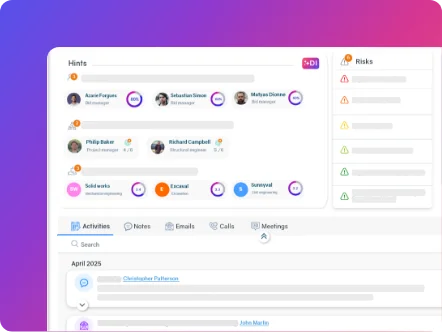
AI-powered dashboards highlight key trends instantly and turn complex project data into clear, actionable insights.

AI-powered dashboards highlight key trends instantly and turn complex project data into clear, actionable insights.
Request a demoAI-powered dashboards highlight key trends instantly and turn complex project data into clear, actionable insights.
Safety incidents on construction sites rarely come down to a single failure. More often, they trace back to a workflow gap – a job hazard analysis that never made it to the crew, a permit that expired without anyone noticing, an inspection finding that got logged but never followed up on. Construction health and safety software exists to close those gaps, but the software only works as well as the workflow standardization behind it.
This article walks through nine workflow practices construction teams should evaluate – and the platform capabilities that support each one – to build more consistent safety compliance across every job site, not just the ones with a strong site supervisor.
1. Standardize incident reporting across every site
When incident reports vary by site, by supervisor, or by which form happened to be on hand that day, patterns become invisible. One site calls it a “near miss,” another logs the same event as an “observation,” and head office has no reliable way to compare.
What to look for: a single incident reporting template enforced across all projects, with structured fields (not free text) for root cause, contributing factors, and corrective action – so the data can actually be aggregated and compared later.
2. Digitize job hazard analyses and pre-task planning
Paper JHAs get filled out, filed, and forgotten. The crew that needs the hazard analysis for today’s task rarely has it in hand when the work actually starts. CCOHS’s Job Safety Analysis fact sheet – from Canada’s federal occupational health and safety agency – frames a JHA as a living tool meant to be reviewed and updated as work conditions change, not a form completed once and filed away.
What to look for: a workflow where JHAs and pre-task plans are created, reviewed, and signed off digitally, and are visible to the crew on-site before work begins – not stored separately from the project itself.
3. Centralize permits and certification tracking
Expired confined-space permits, lapsed operator certifications, and missing hot-work authorizations are among the most preventable compliance failures – and among the most common, because tracking them usually depends on one coordinator’s spreadsheet. In Ontario, this kind of documentation is also central to Certificate of Recognition (COR®) audits administered through the Infrastructure Health & Safety Association (IHSA) – the province’s construction-specific safety association – which makes centralized, always-current records a practical necessity, not just good practice.
What to look for: a system that tracks permit and certification status against every active project and flags expirations before they become a compliance gap, not after an inspector finds it.
4. Connect safety data to project schedule and cost – don’t manage it in a silo
This is one of the most consistent gaps in construction safety management: a dedicated safety or EHS point solution can be excellent at capturing inspections and incidents, but if it isn’t connected to the project’s schedule and budget, safety data lives in isolation from the work it’s supposed to protect. A schedule slip caused by a safety stand-down, or a cost impact from a corrective action, never gets tied back to the project record.
What to look for: a platform where health and safety is a connected module within the broader project management system – not a standalone tool that requires switching between two systems to see the full picture.
5. Build a single audit and inspection trail
When inspections, audits, and their corrective actions are tracked in separate documents – or separate tools – it becomes difficult to demonstrate a consistent compliance history, whether that’s for an internal review or an external audit.
What to look for: one system of record where every inspection, audit finding, and corrective action is timestamped, assigned, and tracked to closure, with a full history available per project.
6. Automate corrective action follow-up
An inspection finding that gets logged but never assigned to anyone is functionally the same as a finding that was never logged at all. Manual follow-up depends on someone remembering to check.
What to look for: workflow automation that assigns corrective actions to a specific person with a due date, and escalates automatically if the action isn’t closed out in time – rather than relying on a project manager to chase it down.
7. Give field crews mobile-first reporting tools
Safety compliance platforms fail in the field for a simple reason: if reporting an incident, completing a JHA, or logging an inspection takes too many steps on a phone, crews stop doing it consistently – or stop doing it at all.
What to look for: a mobile experience built for the field as part of your broader workforce management tools, not a desktop tool with a mobile app bolted on. Test it yourself, on the device your crew actually carries, before you commit.
8. Standardize subcontractor safety onboarding and compliance verification
Subcontractor crews are frequently the weakest link in safety compliance – not because they’re less careful, but because they’re onboarded inconsistently, if a formal onboarding process exists at all. Verifying a sub’s insurance, certifications, and safety orientation often happens by email, if it happens before mobilization.
What to look for: a standardized onboarding workflow for subcontractors that verifies required documentation before they’re granted site access – and ideally, one that doesn’t require every sub to create a separate account or learn a new portal.
9. Use real-time risk flagging instead of reactive review
By the time a monthly safety report reaches leadership, the conditions it describes have often already changed. Reactive review catches what already happened; it rarely catches what’s about to.
What to look for: AI-assisted analysis that flags risk patterns as they emerge – repeated near-misses on the same task type, a site falling behind on required inspections – so a safety lead can act before an incident, not after.
Operate’s Health, Safety & Compliance module is one of 15+ modules in a single platform, not a standalone safety tool – which means incidents, permits, JHAs, and audits are connected to the same project record as your schedule, budget, and field data. The Compliance & Safety agent monitors activity against your safety plans and generates inspection reports automatically, reducing how much of this depends on someone manually cross-checking a spreadsheet.
Because Operate is modular and flat-rate, you can adopt the safety module on its own or alongside project management, equipment tracking, and financials – without paying more as your project volume grows, and without a multi-month rollout to get started.
If you’re evaluating how your current safety workflow stacks up, book a demo and we’ll walk through it against your own projects.

Operate Expert
Our Operate experts work specifically with AEC teams. They'll show you the parts of Operate that are relevant to how you work — and be straight with you about whether it's the right fit.
If you're evaluating software, or if you're paying for a platform your teams have stopped using, it's worth 15 minutes.
Book a discovery call →A standalone safety tool captures inspections and incidents well but keeps that data separate from your project’s schedule and budget. Connected software ties safety activity to the same project record as the rest of your operations, so a safety event’s impact on cost or schedule is visible rather than tracked separately.
Verification before site access is more reliable than a policy crews are expected to remember. Standardizing the onboarding check – insurance, certifications, orientation – as a required step before mobilization tends to work better than relying on documentation collected after the fact.
Test the mobile experience with the people who’ll actually use it in the field, not just in a sales demo. Have your most experienced foreman or safety lead try logging an incident or completing a JHA on their own device, under real field conditions, before you commit.
No – automation reduces the manual tracking burden (assigning corrective actions, flagging expiring permits, generating inspection reports) so a safety lead can focus on judgment calls and site presence instead of chasing paperwork.
It depends on your current stack. If you already have project management and financial systems you’re happy with, a modular platform lets you add safety and compliance without replacing what already works – worth comparing directly against the cost of standalone EHS point solutions plus the integration work to connect them.


Start simplifying your projects, aligning your teams, and making smarter decisions today.