
Why Change Orders Keep Hurting Your Project Margins
Late change orders quietly drain project margin. See how paperwork piles up, what a documented change order includes, and how...
Read More → 
AI-powered dashboards highlight key trends instantly and turn complex project data into clear, actionable insights.
Request a demo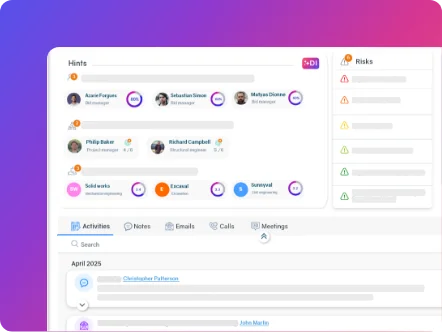
AI-powered dashboards highlight key trends instantly and turn complex project data into clear, actionable insights.

AI-powered dashboards highlight key trends instantly and turn complex project data into clear, actionable insights.
Request a demoAI-powered dashboards highlight key trends instantly and turn complex project data into clear, actionable insights.
Quick Facts: AEC Operations Software

Most construction firms are running four, five, sometimes six different tools at once. One system for project tracking. Another for safety. A spreadsheet for equipment. Something else for compliance. Half the time, nobody’s even sure which system has the right version of anything.
That’s the real problem. AEC operations software is built to get rid of that. One platform, everything connected, and your teams actually know what’s going on without having to ask three different people.
AEC stands for Architecture, Engineering, and Construction. That’s the short answer. In practice it covers a wide range of people: the architects designing a building, the engineers working out how to actually put it up, general contractors managing the site, and every specialist trade working underneath them.
The term “AEC operations software” refers to the tools these teams use to manage the actual work. Not just design files or contracts. The actual running of the job. Who’s on site today. What plant is deployed and where. Whether the morning safety checks got done. How far behind or ahead the project is sitting right now.
Generic project management tools aren’t built for construction, and the difference shows up fast on a live site.
Standard tools handle tasks and deadlines well. They work for office-based teams tracking outputs. But construction involves physical assets, site-level safety obligations, regulatory compliance, and multiple trades working simultaneously across locations. A task board doesn’t account for any of that.
Construction operations software is purpose-built for this environment. It’s designed around the workflows that actually exist on site, not adapted from something built for marketing teams or software developers. And it’s built to connect data across safety, equipment, compliance, and project management from the start, rather than requiring months of customisation to fill gaps a generic tool was never designed to cover.
Research from McKinsey has consistently shown that construction is one of the least digitised industries in the world. A big part of that is because the tools available historically either didn’t fit the job or required too much overhead to maintain. That’s changed significantly in the last few years, and purpose-built AEC platforms are a big reason why.
A proper AEC operations platform covers four core areas. And they need to be connected to each other to work properly.
Project management is the foundation. Tracking milestones, assigning tasks, managing programme against actual progress. But construction project management is genuinely complex. You’re dealing with trade coordination, procurement timelines, weather dependencies, and live changes to scope all at once. The software needs to handle that reality, not a simplified version of it.
Health and safety management is just as critical. Construction has one of the worst injury records of any industry, and that’s not a figure that improves by accident. Good safety management takes consistent logging, proper induction records, and an audit trail you can actually find when you need it. Paper forms stuffed into a site cabin don’t cut it anymore, and most firms know it.
Equipment tracking is one of those things that looks simple until it isn’t. You need to know what’s on site, what’s out for repair, and when the next maintenance window is due. Knowing where equipment is, when it’s due for maintenance, and whether it’s being used efficiently makes a real difference to cost control on large contracts. Most firms managing this through spreadsheets are leaving money and time on the table.
Compliance and workflow management is where things tend to fall apart if the rest of the system isn’t joined up. Every region has its own rules around permits and documentation. When that’s managed separately from everything else on site, someone always ends up chasing paperwork at the worst possible time. A good platform builds it into the normal workflow so it’s not an afterthought.
You can explore how Operate’s project management module handles this in practice, or see how the health and safety features work across multi-site teams.
Different roles use AEC operations software in different ways, but almost everyone on a project benefits from it.
Site managers rely on it to track what’s happening across active workfaces. On a busy site, that information needs to be available without having to track down the right person and ask them to look something up.
Safety officers are usually the ones carrying the most administrative weight. Inductions, near-miss reports, corrective actions, audit prep. It’s a lot to manage if every piece of it lives in a different place. The audit trail matters here. When a regulator or client asks to see your safety documentation, having it all in one system is a very different experience from piecing it together from emails and spreadsheets.
Project engineers and planners need live progress data, not last week’s update in a spreadsheet. When something shifts on site, they need to know about it quickly enough to actually do something with that information.
Senior leadership and enterprise clients use it for portfolio visibility. If you’re managing ten projects at once, you can’t be on every site. A good AEC platform gives leadership the data they need without requiring someone on site to compile a weekly report.
Smaller contractors tend to value the time they get back from replacing manual processes. Enterprise firms are more focused on audit readiness and visibility across a portfolio of simultaneous projects. The software needs to serve both.
The most important thing to look for is genuine integration across functions. That’s the whole point.
If safety data lives separately from project data, and equipment records aren’t connected to either, you haven’t solved the fragmentation problem. You’ve just moved it into a more expensive system. The platform needs to be built so that information flows between modules without manual export and import steps in between.
Ease of adoption matters just as much. Construction teams are busy, and site staff aren’t going to spend two weeks learning a new interface. Look for software that fits the way your teams actually work and that can be used practically from day one, not something that requires a dedicated implementation project before anyone gets any value from it.
Scalability is worth thinking about early. A platform that works for a 20-person contractor but can’t handle an enterprise firm running 50 concurrent projects will create problems as you grow. Your software should be able to grow with the business, not force a migration three years in when you’ve already embedded it into your operations.
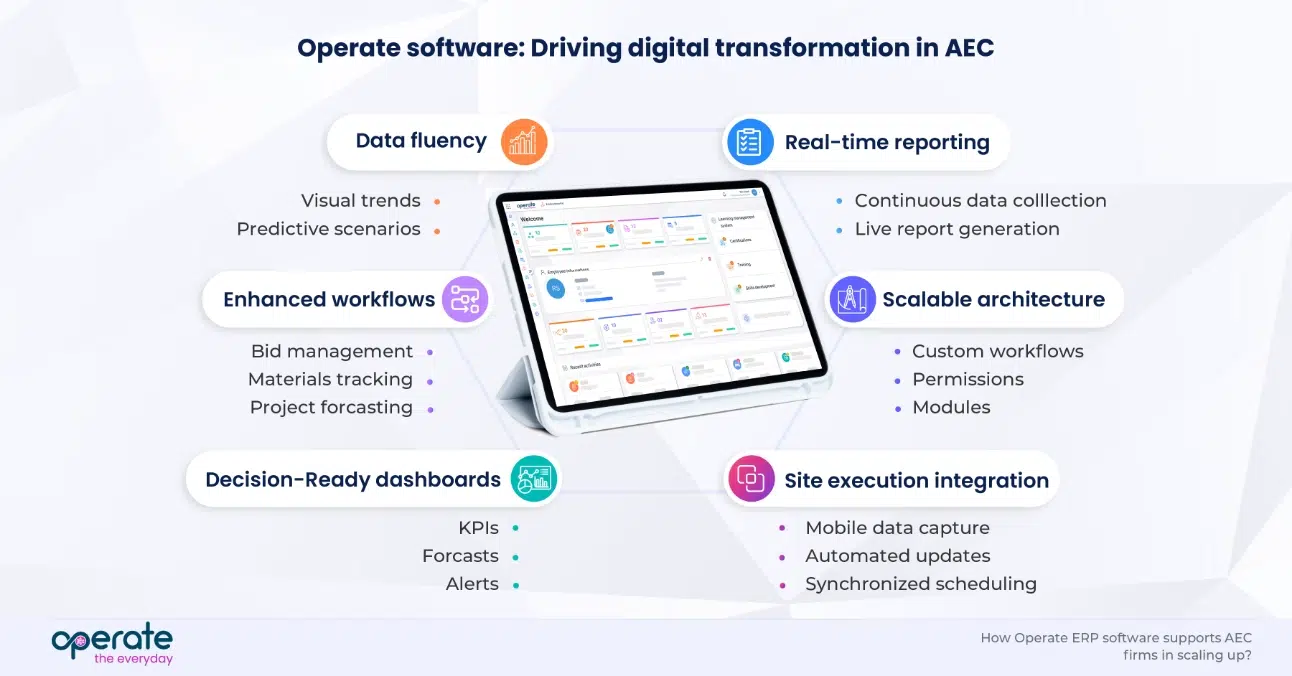
Traditional construction software typically solves one problem. A scheduling tool. A safety log. An equipment register. These tools do their specific job reasonably well, but they’re isolated. Someone has to manually move information between them, and that creates errors, delays, and gaps in the record.
AEC operations software works differently. The logic is straightforward. These things aren’t separate in the real world, so they shouldn’t be separate in the software either. A safety incident has implications for the programme. Equipment being off-site for repair affects what trades can work tomorrow. Compliance sign-offs are part of the delivery workflow. A proper AEC platform treats these as one system, not separate tools that happen to sit near each other.
That shift from isolated tools to a connected operations platform is what most construction firms working through their digital change are actually trying to get to.
Operate is one platform that covers the full scope of construction operations. Safety, equipment, compliance, project delivery. All of it in one place, without needing a separate tool for each. It works for a contractor managing a handful of projects and for an enterprise firm running fifty at once. If your current setup involves too many systems and not enough clarity, it’s worth a look.
It’s software built specifically for construction and engineering firms. Instead of using separate tools for safety, equipment, project tracking, and compliance, everything runs through one platform. Operate is built for exactly this, for contractors and engineering organisations that need it all in one place.
Architecture, Engineering, and Construction. It covers everyone involved in actually delivering a built structure, from the design team through to the contractors and trades on site.
Most project management tools were built for office teams tracking tasks. They don’t account for site-level safety, equipment, regulatory compliance, or the kind of real-time operational visibility construction actually needs. Construction operations software is built around the job as it actually runs.
Less time spent chasing information across systems. Better visibility for teams and leadership. A proper audit trail for compliance. And fewer things slipping through the gaps because two systems didn’t talk to each other. Operate is built to deliver all of that without a complicated setup.
Site managers, safety officers, engineers, planners, and senior leadership all use it, but for different things. Site teams use it to manage the daily work. Leadership uses it to see across the portfolio without having to wait for someone to pull a report together. Operate is built to work for both.
Both, Smaller contractors get a lot of value from replacing spreadsheets and disconnected apps with one straightforward system. Larger firms care more about the audit trail and the ability to see across multiple projects at once. Operate scales to handle either.
Start with integration. If safety data, equipment records, and project data don’t connect to each other, you haven’t solved the core problem. Then look at how fast your site teams can actually use it. And check that it can handle your project volume as the business grows, not just where you are right now.
Depends on the platform. Some take months to get running properly. Operate is built to be straightforward to deploy. You shouldn’t need a lengthy implementation project just to get to the point where it’s useful.


Start simplifying your projects, aligning your teams, and making smarter decisions today.